

Choose a widget
The six widgets, what each one shows, and how to make a Match, League, Team or Player widget show the item you want.
Widgets V2 has one widget for a complete football section, Livescore, and five widgets that each show one thing: a match, a competition, a team, a player or the list of competitions. You choose the widget at the top of the configurator, under Widget.
Livescore
Plans
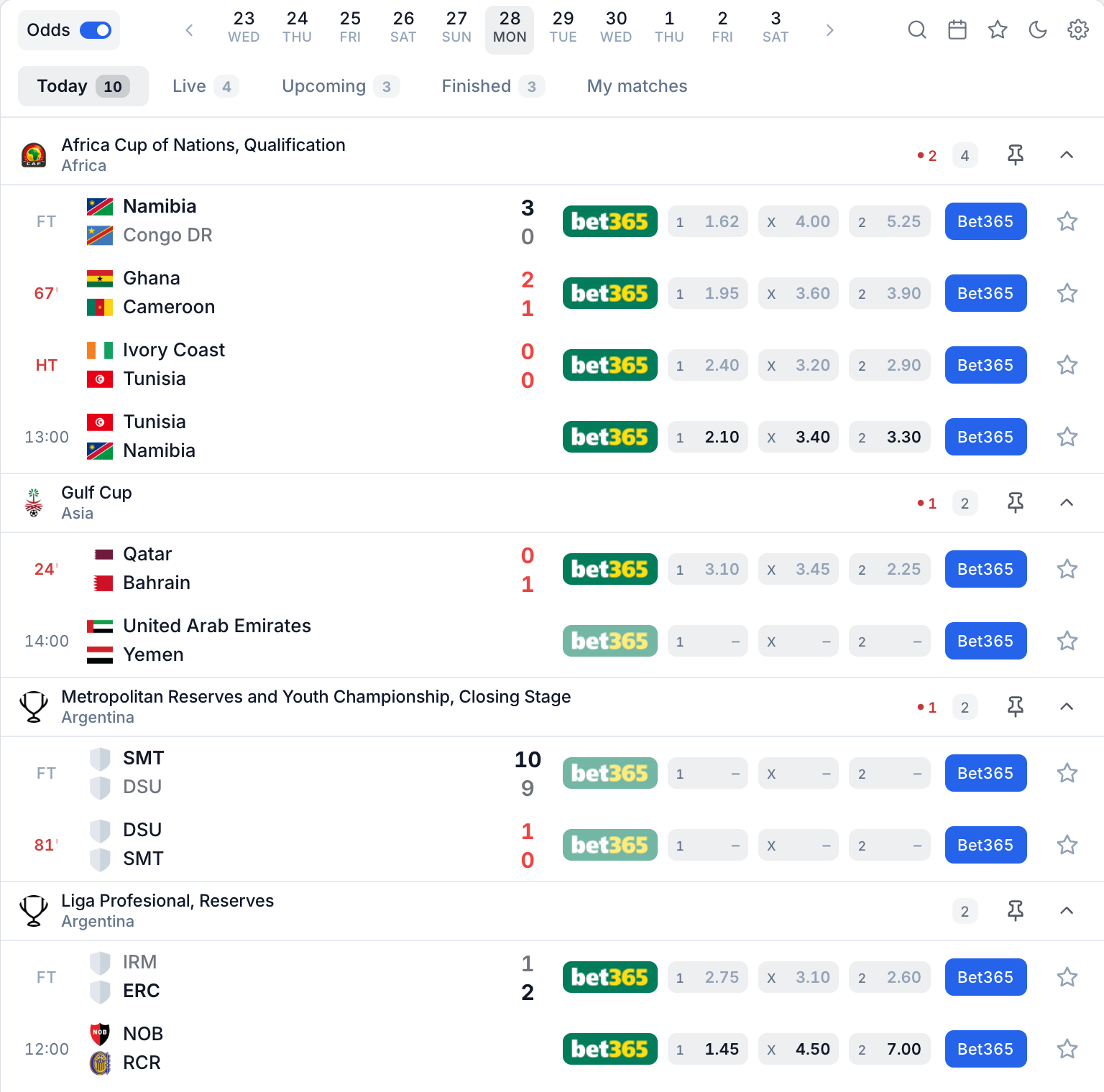
The Livescore widget lists the day's matches grouped by competition, with the live minute and the score. Visitors can:
- move between days with the date bar, or open a calendar;
- switch between the Today, Live, Upcoming, Finished and My matches tabs;
- search, save favourites, switch between light and dark, and open their own settings from the toolbar icons;
- open any match, team, competition or player. What opens, and where, is set by the navigation mode.
Featured leagues (in Data, on every plan) puts the competitions you choose at the top of the list, and Show only featured leagues shows only those. Without a choice, the list starts with a default selection of major competitions.
Match, League, Team and Player
Plans
These widgets always show the one item you choose: your club, your league, or the match an article is about. They do not change by themselves, and the page they sit on does not change them.
On Free and Starter you can still design them in the configurator, because the same views open inside the Livescore when visitors click a match, team, competition or player. Installing one on its own needs Pro or Ultra.
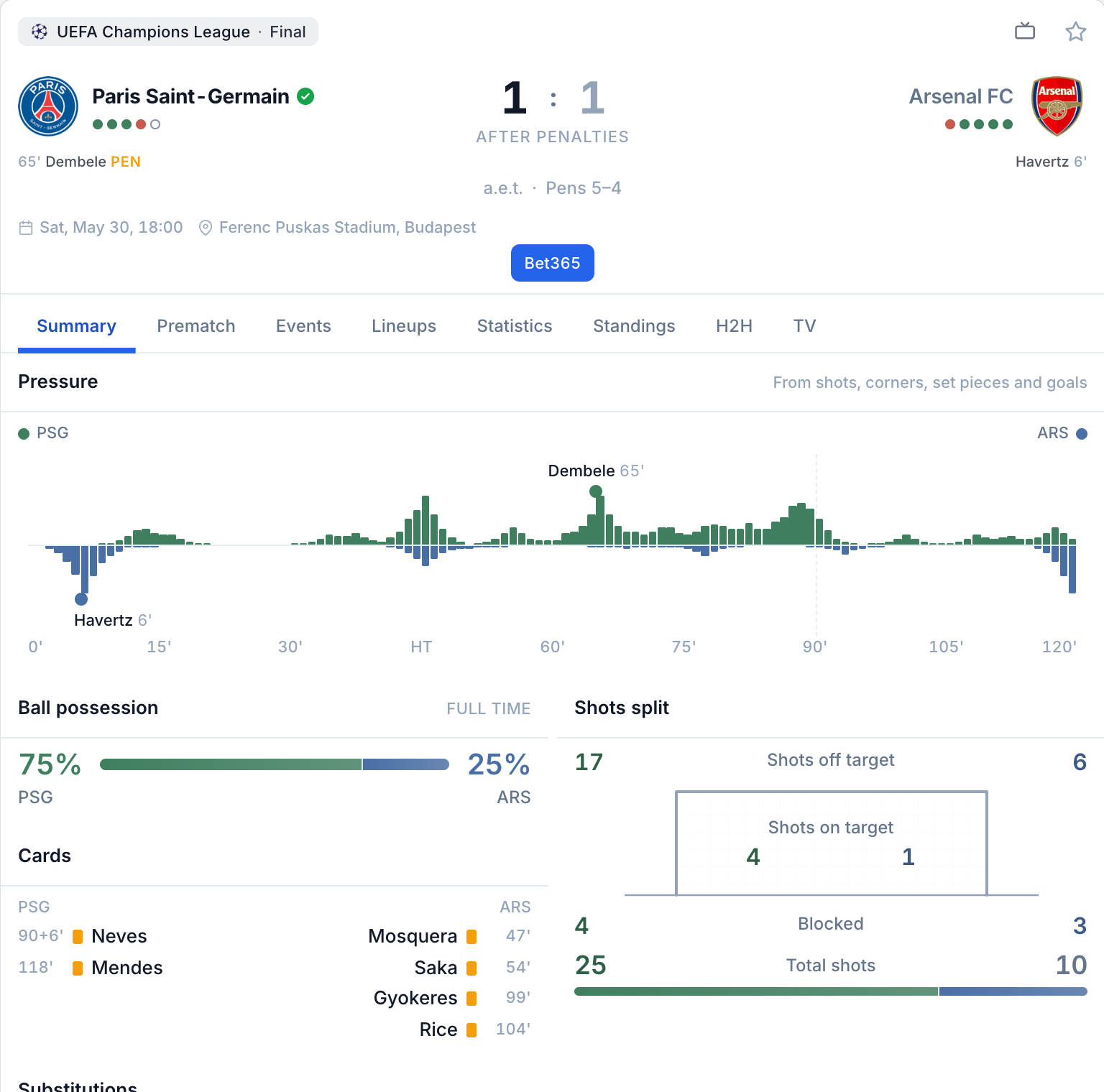
Match
Summary, Prematch, Events, Lineups, Statistics, Commentary, Standings, H2H, Odds and TV.
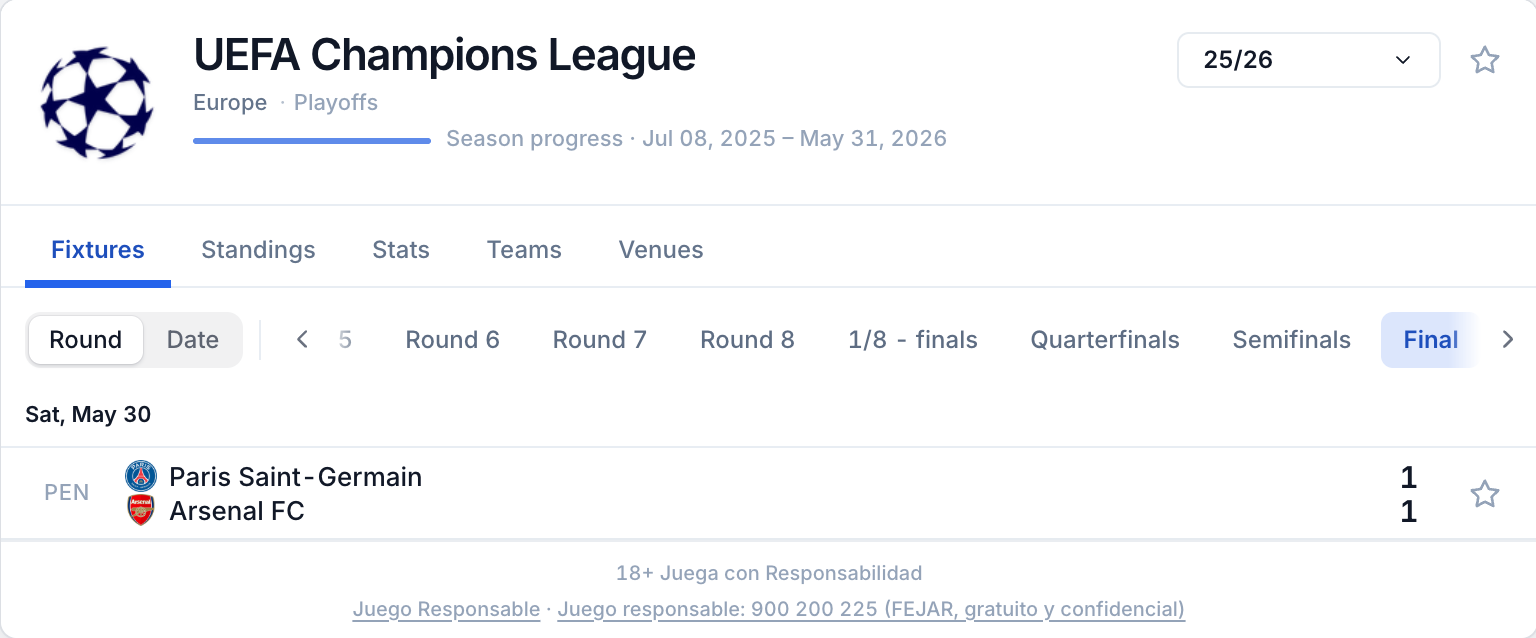
League
Fixtures, Standings, Stats, Teams and Venues, with a season selector.
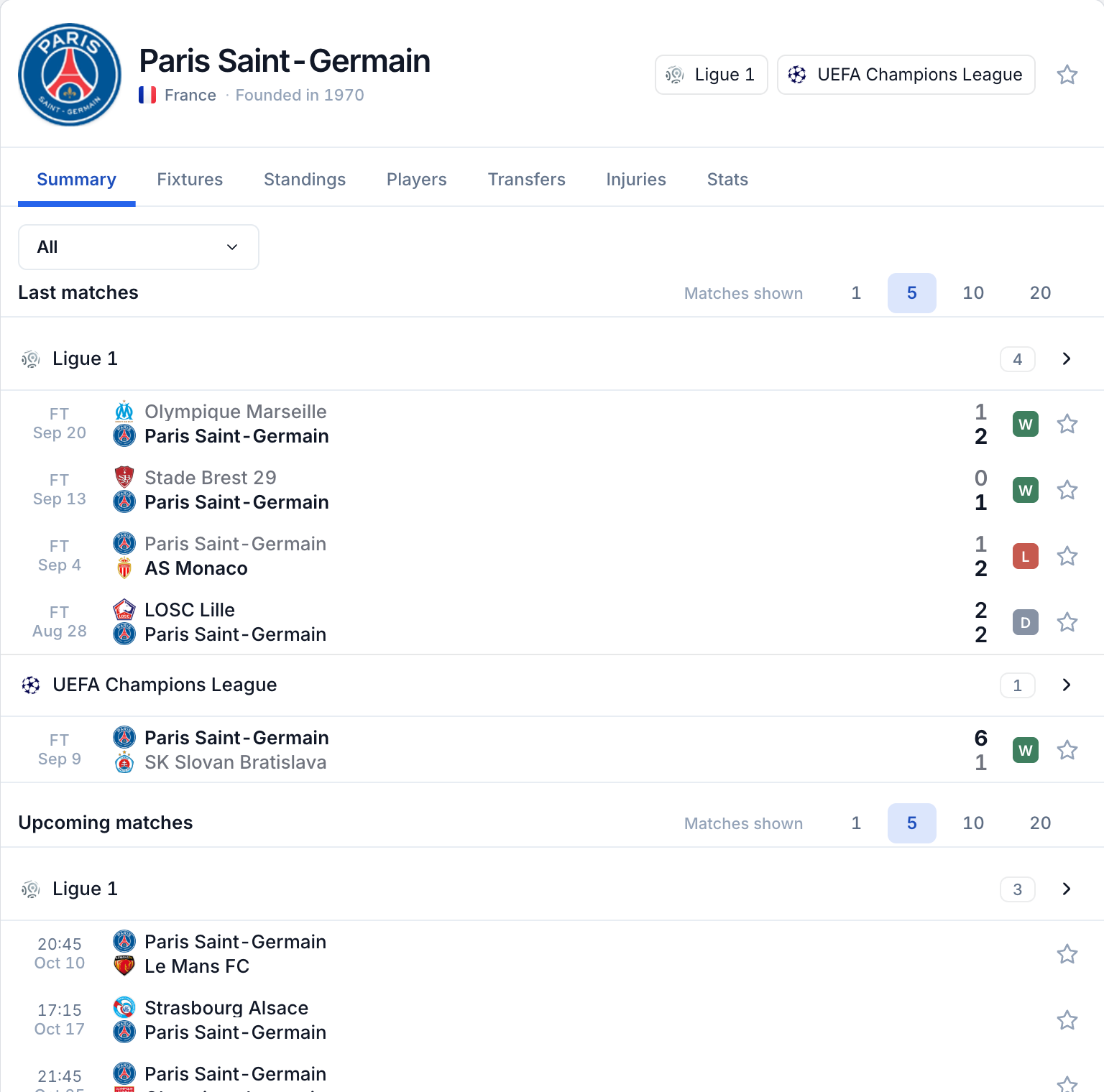
Team
Summary, Fixtures, Standings, Players, Transfers, Injuries and Stats.
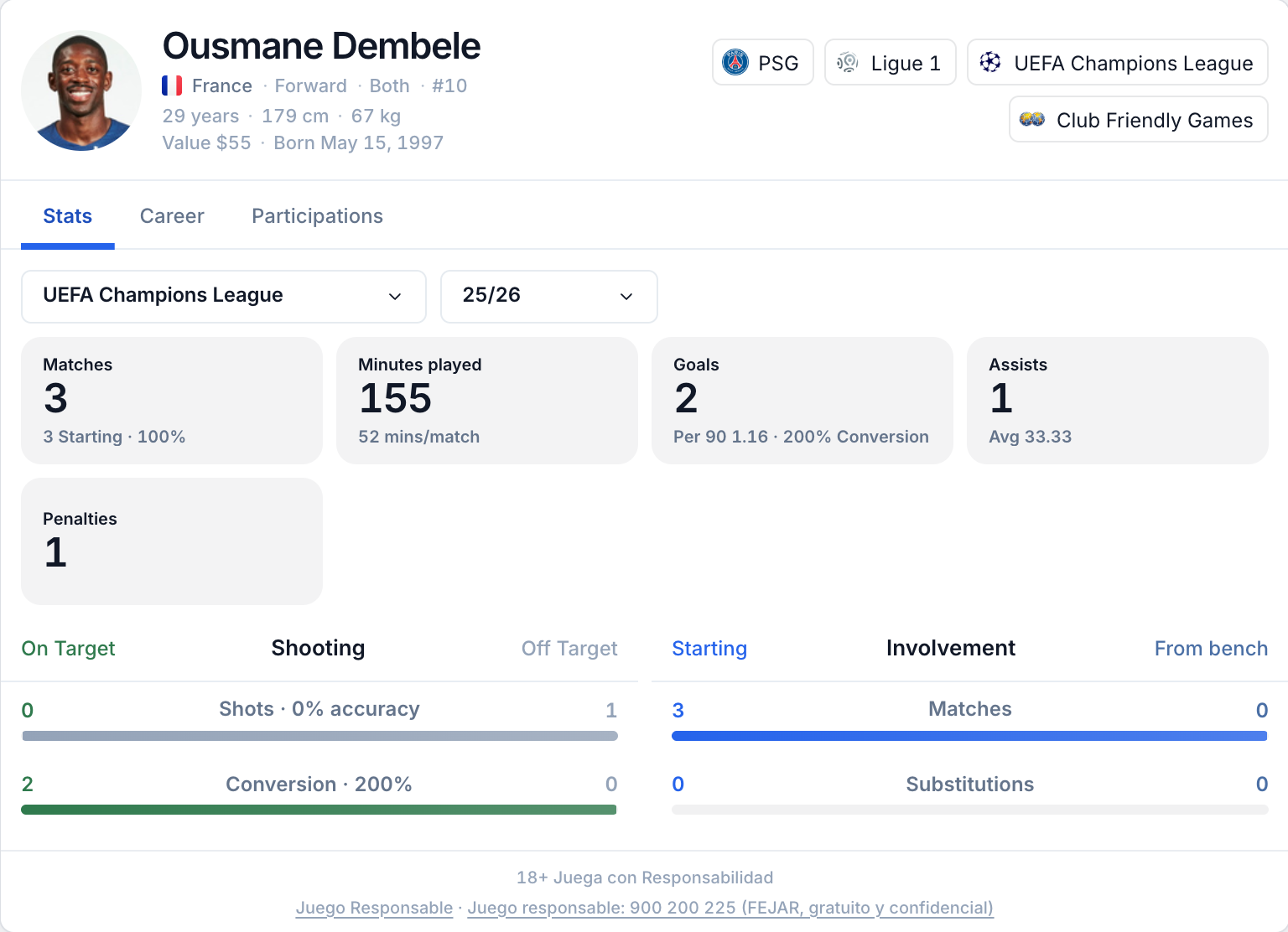
Player
Stats, Career and Participations.
Each of these widgets has a Default tab setting, and a switch per tab to hide the tabs you do not need.
The Match widget also hides the tabs that have no data for that match. Before kick-off, Summary, Events, Statistics and Commentary are not shown yet. The Odds tab needs a plan with bookmaker odds.
Leagues
Plans
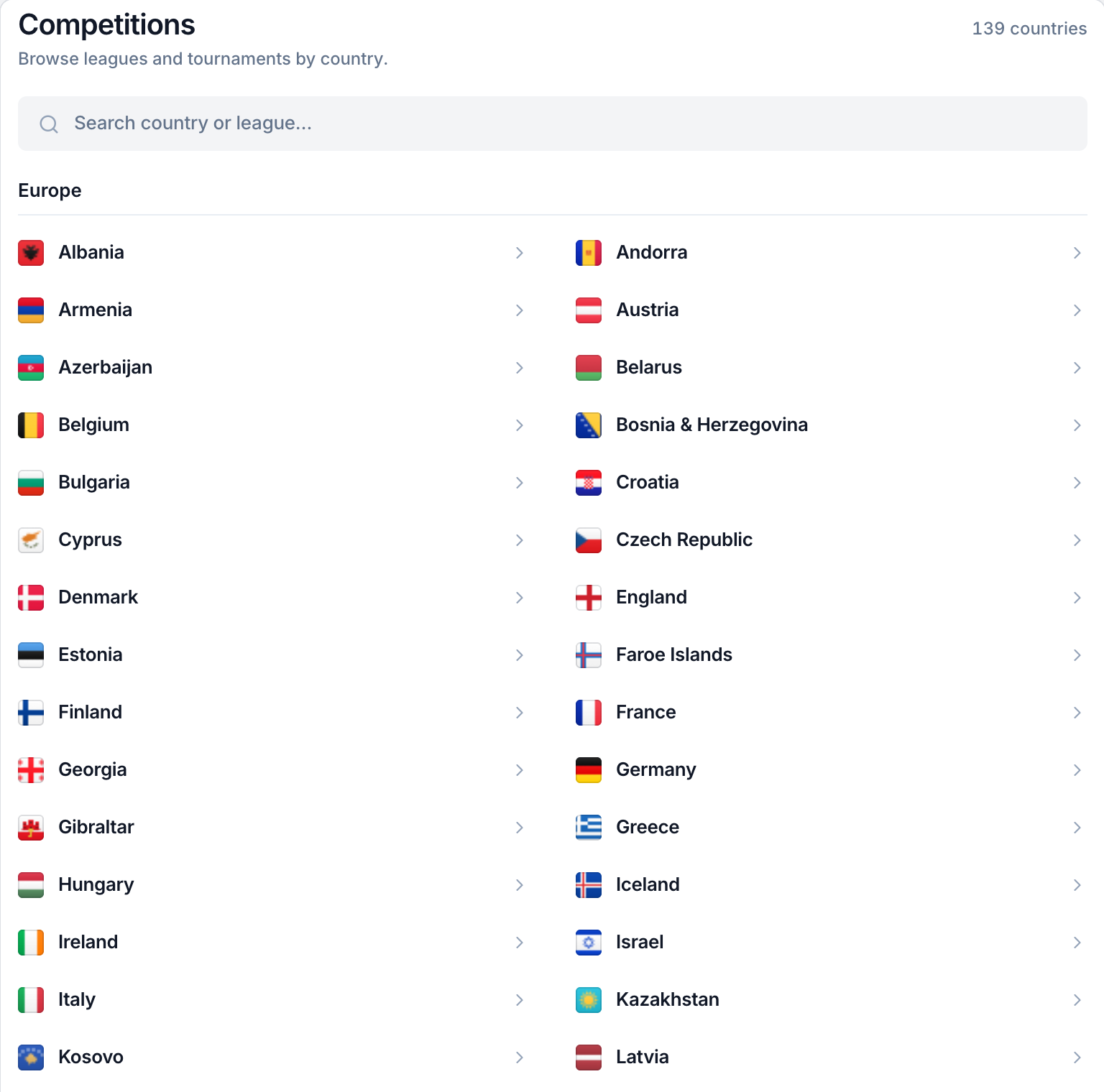
A directory of competitions grouped by region and country, with a search box. Visitors pick a country and then a competition.
Choose the item a widget shows
In the configurator, select Match, League, Team or Player and type the number of the item in Match ID, League ID, Team ID or Player ID. The preview updates as you type. There is no search box for these numbers yet: ask support if you do not know the number of your club, competition or player.
Seasons. League and Player also accept a Season ID. Leave it empty for the current season. The Team widget always follows the team's current season. National teams have no Transfers or Injuries tabs.
The item belongs to the code, not to the design
Your saved configuration holds the look and the settings. The item is written in
the installation code, for example teamid="112". One design can therefore show
any number of teams or matches: paste the same code again and change only the
number.
<ls-soccersapi uid="YOUR_UID" widget-id="YOUR_WIDGET_ID" entity="team" teamid="112"></ls-soccersapi>See Embed code reference for every
attribute, including initial-tab to open a match on a given tab.
Several widgets on one page
You can place several widgets on the same page, for example a Livescore and a Team widget. Paste the script line once, then one tag per widget. Each tag keeps its own item. Visitor choices such as dark mode, time zone and favourites are shared between them.
At the moment a window opened from one widget can also appear in the others, so give the extra widgets the None (no entity links) navigation mode. See Add the widget to your site.